Cleanup Your Phone
- 4.5
- Rating
- 10.00M
- Installs
- Free
- Price

 Analysis by App-foxy
My first impression of Cleanup Your Phone was straightforward: it is built for the moment when a phone feels crowded and I want a quick way to regain control. Developed by DOSA Apps, this free personalization app focuses on cleaning up storage rather than trying to become an all-purpose phone manager. That narrow purpose is its main appeal. I do not open it for entertainment or customization; I open it when photos, videos, downloads, and forgotten files are making everyday use feel unnecessarily difficult.
The app has reached over ten million installs and holds a 4.5 average from around 248 thousand ratings, which suggests that its basic promise connects with a large audience. I can understand why. Storage problems are rarely dramatic at first. A phone still works, but updates become awkward, the camera may stop saving new pictures, and finding anything becomes slower mentally even when the system itself is responsive. A focused cleanup tool can be useful before the problem reaches that stage.
What makes the first week appealing
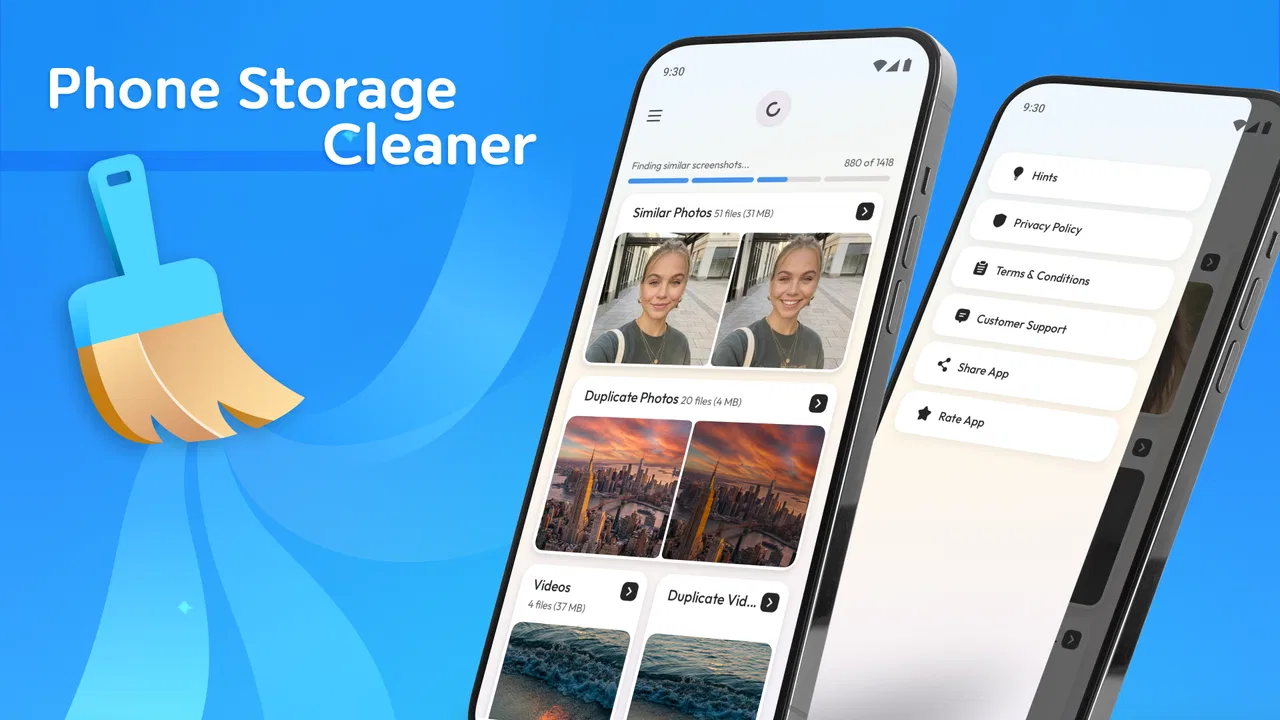
During the first week, the strongest benefit is the sense of progress. Instead of opening the system settings and moving through several storage screens, I can approach the task as a dedicated cleanup session. That change matters for people who know their phone is full but do not want to investigate every folder manually. The store summary is “Clean up your phone’s storage,” and that describes the practical role well without suggesting that the app is something broader than it is.
You May Also Like

 Blood Strike: 2.5 Anniversary
Blood Strike’s Loadouts Turn Every Drop Into a Tactical Gamble
A close look at Blood Strike’s custom loadouts: how fast access to signature weapons reshapes its battle royale rhythm, rewards preparation, and narrows the gap between fights.

 Pandora - Music & Podcasts
Pandora’s Music Is Easy to Start, but Harder to Recover
Pandora’s strength is its low-effort path from a seed to a station. Its weak spot is how much confidence it asks you to place in connection, setup, and quiet recovery.

 8 Ball Pool
 Is Built on Rivalries, Rematches, and Routine
A close look at the rivalries, rematches, shared routines, and unanswered safety questions that turn a quick pool match into a persistent mobile community.

 Samsung Music
’s Quiet Strength Is Playing What You Already Own
Its reach comes less from spectacle than from dependable access to a personal library. That simplicity is both the app’s strongest retention engine and its ceiling.

 AccuWeather: Weather Radar
AccuWeather Review: A Quick, Clear Forecast for Everyday Decisions
For everyday plans, the best forecast is the one you can understand quickly. AccuWeather makes rain timing, radar, and local conditions easy to act on, with a few trade-offs.

 Hill Climb Racing
Why Hill Climb Racing Still Turns Crashes Into One More Run
A tiny car, a bumpy hill and one more upgrade: Hill Climb Racing keeps resurfacing because its simple chaos makes every near-miss feel personal.
More From Our News Desk



I found the app most useful when I treated it as a decision-making aid rather than an automatic solution. The important step is not simply removing a large amount of data. It is recognizing what is safe to remove. Old downloads, duplicate-looking images, large videos, and abandoned files can all appear attractive during a cleanup, but personal photos, work documents, offline media, and messaging attachments may have different value. I prefer to review candidates instead of approving everything in one reflexive tap.
That is the first non-obvious lesson with this kind of app: the best result often comes from reducing hesitation, not reducing every file. A useful cleanup tool gives me a place to begin. It does not replace judgment, especially when the phone contains memories or documents that are difficult to recover. I would make a backup of anything important before a serious cleanup, regardless of how convenient the interface feels.
The free price also lowers the barrier to trying it. Cleanup Your Phone is available at no upfront cost, while optional in-app purchases range from under one dollar to just under one hundred dollars per item. That makes the first experiment easy, but it also means I would pay attention to what is included before committing to any purchase. A free installation is not the same as unlimited access to every possible convenience, so I would avoid assuming that the entire experience is permanently unrestricted.
Its Everyone age rating makes it approachable for a shared household, including someone who is not comfortable navigating technical storage menus. Still, I would not hand the phone to a child and let them delete freely. Age suitability does not remove the need for supervision when personal files are involved. For an older relative, the app could be helpful if I first explain the difference between reviewing unwanted material and erasing everything that looks unfamiliar.
A realistic everyday cleanup session
Imagine returning from a trip with a phone full of short videos and repeated snapshots. A few weeks later, the camera refuses to save another image because available space has disappeared. In that situation, I would use the app in stages. First I would review the largest obvious items, then remove files I had already copied elsewhere, and finally check whether the phone feels comfortable again. I would not aim for a perfectly empty storage area, because leaving some breathing room is more practical than filling the device immediately after cleaning it.
This workflow is also where the app’s limits become clear. It can help me identify a cleanup opportunity, but it cannot decide whether a blurry photo is worthless or whether a large video is the only copy of an important moment. The more sentimental or professional the material, the slower I should work. A fast cleanup is useful for disposable files; it is risky when the phone is being used as the only archive.
Why the value may or may not last month to month
After the novelty fades, the question changes from “Can this free space?” to “Will I keep using it?” My answer is conditional. Cleanup Your Phone earns recurring value for people whose devices regularly collect media, downloads, and temporary clutter. It is less compelling for someone with generous storage, disciplined file habits, or a phone that already provides comfortable built-in storage management.
I would use it as a monthly checkpoint rather than a daily ritual. A short review at the end of a busy month makes more sense than repeatedly opening a cleanup app after every download. Frequent scanning can turn maintenance into another chore, especially when the phone is not actually close to its limit. The useful habit is to connect cleanup with a real trigger: before a major trip, before recording an event, before installing a large update, or when storage warnings begin appearing.
One practical advantage of this schedule is that it encourages better storage behavior without demanding constant attention. I can decide where important photos belong, remove files that were only needed temporarily, and keep the phone ready for the next occasion. The app becomes a prompt for a routine rather than a permanent background concern. That is more sustainable than expecting one dramatic cleanup to solve every future storage problem.
There is also a trade-off between convenience and understanding. The usual alternative is the phone’s own storage screen, which may be less friendly but is already integrated into the operating system. It can be the better choice when I need precise control over installed apps, system categories, or account-specific storage. A dedicated cleanup app is more attractive when I want a simpler starting point and do not want to translate technical labels before taking action.
Cloud storage is another alternative, but it solves a different part of the problem. Moving photos elsewhere can protect local space, yet it may introduce subscription costs, upload delays, or confusion about whether a file is still stored on the device. Cleanup Your Phone is more immediate when the issue is local clutter. It is not a substitute for a backup strategy, and I would not treat freeing space as proof that my memories are safely preserved.
Small habits that improve the result
I get better long-term value when I clean in categories rather than by mood. I start with files I recognize as temporary, then inspect unusually large items, and only afterward consider personal media. This order reduces the chance of deleting something meaningful simply because it appears beside less important material. It also makes a session easier to stop when enough space has been recovered.
Another useful habit is to clean after a project ends. If I download documents for a trip, event, course, or work task, I already know which files were temporary once the task is finished. That context is much safer than opening a random folder weeks later and guessing. In my experience, timing provides information that a storage screen alone cannot provide.
I would also avoid judging success only by the amount removed. A smaller cleanup that leaves important files organized can be more valuable than a large deletion that creates anxiety. The app is at its best when it makes a sensible maintenance routine easier. It is less useful when I expect it to magically transform a phone with years of unmanaged data into a perfectly organized archive.
Where maintenance becomes work
The main maintenance burden is review. Any tool that helps remove personal files eventually asks me to make choices, and those choices take time. If the phone has accumulated thousands of images or a wide mixture of downloads, the first session may feel more like sorting than cleaning. That is not necessarily a flaw in the app; it is the unavoidable cost of safe deletion. Still, users expecting a single automatic tap may find the process slower than the store summary suggests.
I also see a risk of false confidence. The word “cleanup” can make a task sound harmless, but storage contents are personal and sometimes irreplaceable. I would read labels carefully, preview anything uncertain, and stop if I cannot identify a file. The app can streamline access to candidates, but I remain responsible for the final decision. That distinction is especially important on a family phone or a device used for work.
Permissions and privacy are areas where I would be deliberate. A cleanup tool needs access to the material it is helping me review, so I would examine the permission prompts and only grant what is necessary for the task. I would also avoid using it casually on a device containing sensitive client files or private records until I was comfortable with how the app behaves. Convenience should not automatically outrank confidentiality.
The current version is 4.1.8 and supports phones running Android 5.0 or later. That broad compatibility is useful for people keeping an older device in service, but I would still judge the experience on the specific phone rather than assuming that every model will feel identical. Older hardware may make large media collections slower to browse, while newer phones may already offer strong built-in storage tools. The app’s usefulness depends as much on the device’s existing options as on the app itself.
What can cause fatigue over time
Repeated prompts, repeated reviews, or repeated decisions can make any maintenance app feel like another source of clutter. Even when the task is helpful, I may stop opening it if every visit produces a long list that requires careful attention. The first-week satisfaction of seeing space reclaimed does not automatically become a lasting habit. The app needs to fit into a routine that feels shorter than the problem it solves.
There is also a psychological limit to cleanup. If I remove files and then immediately refill the phone with new videos, offline content, or downloads, the result can feel temporary. That is not a failure unique to this app, but it affects whether the app earns a permanent place. I would pair it with one simple rule, such as reviewing downloads after finishing a trip or moving important photos before deleting local copies. Without that second step, cleanup becomes a repeating emergency.
Optional purchases may add another point of friction. Since individual in-app purchases can reach nearly one hundred dollars, I would inspect the purchase screen carefully and decide whether the extra convenience is genuinely worth it for my usage. Someone who cleans a phone once may prefer the free experience or the operating system’s own tools. Someone who manages several devices or regularly handles large media collections may place a higher value on a dedicated workflow, but should still compare the actual benefit with the cost.
For some users, the best answer is to skip a dedicated cleaner altogether. If the phone already provides clear storage categories, automatic photo backup, and easy file management, adding another app may create duplication rather than improvement. I would also skip it if I dislike reviewing deletion suggestions or if my storage problem is caused mainly by one large application that should be managed directly through system settings. A focused tool is not automatically the right tool for every storage problem.
My long-term verdict
Cleanup Your Phone has lasting value when I use it as a controlled maintenance assistant, not as a magic eraser. Its first-week appeal comes from making an unpleasant task feel approachable. Its month-to-month value depends on whether I connect it to sensible triggers and keep important files backed up elsewhere. The app can earn a place on a crowded phone, but it does not earn that place merely because it is installed.
I would recommend it to people who regularly run short of space, dislike digging through technical settings, or want a dedicated starting point for reviewing unwanted files. It is also a reasonable option for someone helping a less technical family member maintain a phone, provided the deletion decisions are supervised. The free entry point makes it easy to test, and the Everyone rating keeps it accessible to a broad audience.
I would be more cautious with photographers, professionals, or anyone whose phone is the only home for valuable files. Those users need a backup and archiving plan first. I would also point light users toward the built-in storage tools if those already solve the problem cleanly. In that situation, Cleanup Your Phone may be more space on the phone rather than a meaningful improvement.
My final judgment is positive but practical: the app earns lasting space only when it supports a habit that I can actually maintain. DOSA Apps has made a focused tool for a common annoyance, and its strong user response reflects that usefulness. I would keep it available for scheduled reviews and urgent storage situations, while resisting the temptation to treat every suggested deletion as disposable. Used with that discipline, it is a helpful part of phone maintenance rather than another app I install once and forget.
FAQs for Cleanup Your Phone
01What features does Cleanup Your Phone offer to enhance device performance?
Cleanup Your Phone provides several features designed to optimize your device's performance. It includes junk file removal, cache clearing, memory boosting, and duplicate file detection. Additionally, it offers battery management tools and app management features, allowing you to uninstall unused apps with ease. These functionalities ensure your device runs smoothly and efficiently.
02Is Cleanup Your Phone safe to use on my device?
Yes, Cleanup Your Phone is designed with user security in mind. It only accesses necessary files and permissions to perform its cleanup functions. The app does not collect or share personal data, ensuring your privacy is protected. Regular updates also enhance its security features, making it a reliable choice for device optimization.
03How often should I use Cleanup Your Phone to maintain optimal performance?
For best results, it's recommended to use Cleanup Your Phone at least once a week. Regular cleaning helps prevent the accumulation of junk files and cache, ensuring your device remains responsive. However, the frequency can vary based on personal usage patterns and storage needs, so adjust as necessary to maintain optimal performance.
04Does Cleanup Your Phone provide real-time monitoring and alerts?
Yes, Cleanup Your Phone includes real-time monitoring features. It continually checks your device's status, alerting you to any issues such as excessive cache buildup or high memory usage. These alerts help you take timely action to maintain your device's speed and responsiveness, ensuring a consistently smooth user experience.
05Are there any in-app purchases or ads in Cleanup Your Phone?
Cleanup Your Phone offers both a free and a premium version. The free version includes ads, which can be removed by upgrading to the premium version. The premium version also unlocks additional features like advanced cleaning options and priority customer support, providing a more comprehensive cleanup experience.
Pros
- Easy-to-use interface for quick navigation.
- Effective junk file removal to free space.
- Boosts phone performance noticeably.
- Customizable cleaning schedules.
- Supports multiple languages for wider use.
Cons
- Advertisements can be intrusive at times.
- Some features require in-app purchases.
- Occasional false positives in file scanning.
- Battery drain during deep cleaning sessions.
- Limited cloud storage options for backups.

Cleanup Your Phone
Gallery